
Back To All Articles
Beyond static screenshots: Figmap plugin bringing real maps into Figma
Designers lose countless minutes hunting down clean map images when they should be refining journeys and polishing location-based interactions. Figmap cuts that busywork out entirely: drop in a map, adjust the view, and it’s instantly part of your design. No more opening Google Maps in a separate tab, no more grainy screenshots, no more stretching the same image to fit multiple frames—just sharp, scalable map visuals that behave naturally inside Figma.
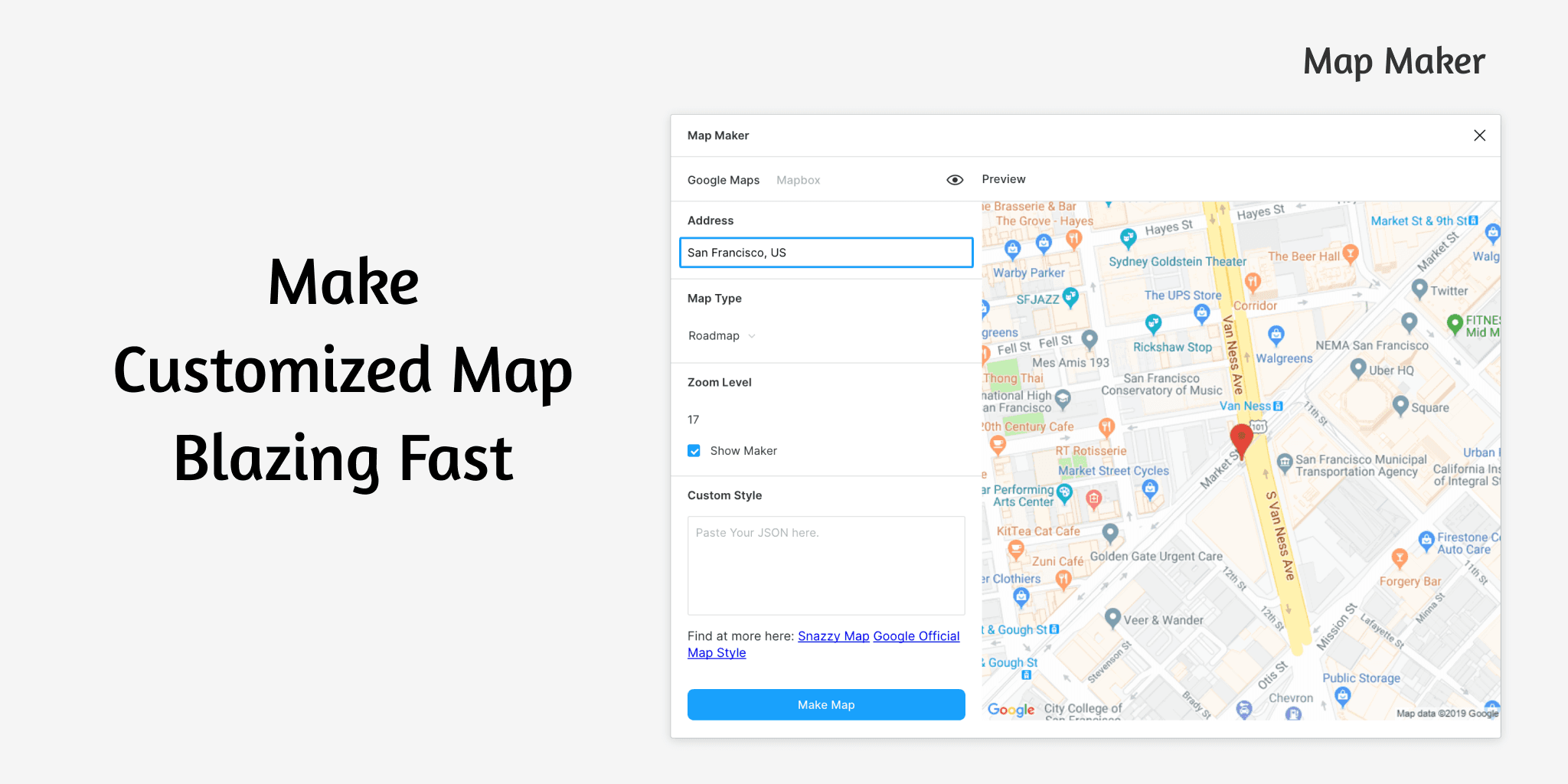
In everyday product work, that flexibility makes a real difference. You can try out various zoom levels for a location picker, preview how map screens feel in dark or light themes, or reposition a marker to explore different scenarios—all without switching tools or breaking your design rhythm. Since Figmap operates directly within Figma, the map elements sit neatly inside your frames, respond to layout constraints, and adapt smoothly as you iterate.
The visual clarity is another advantage. Figmap delivers crisp map tiles that scale well across mobile, tablet, and desktop artboards, making it ideal for travel apps, delivery platforms, booking flows, or any interface tied to real-world locations. What used to require a mix of browser tabs, screenshots, and manual cleanup now happens in moments. Layer UI components on top—search bars, cards, routes, pins—and you get polished, review-ready screens with far less effort.
Bottom line: Figmap turns map integration into a smooth, native part of your workflow, freeing designers to focus on better interactions, clearer navigation, and faster experimentation across location-driven experiences.